
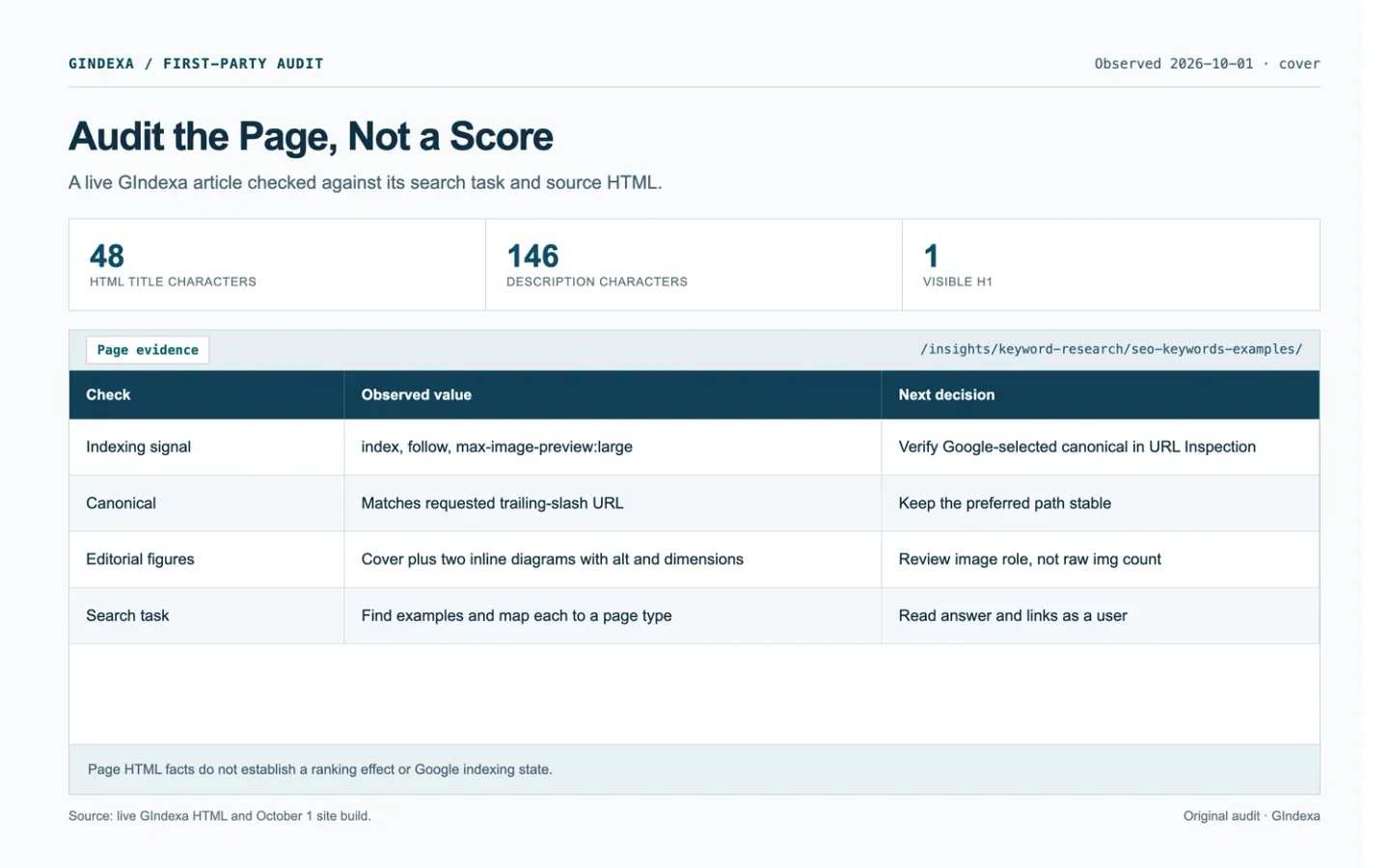
Pick one URL and one search task. Check what the server returns, what the page shows, and which queries reach it. By the end of the audit, you should have a specific edit to make and evidence for why it matters.
We’ll use GIndexa’s 100 SEO Keyword Examples page, inspected October 1, 2026. The numbers below describe that page. They don’t establish a ranking effect.
What an On-Page SEO Audit Should Decide
Does the page answer the task it promises? Do its visible text and machine-readable signals describe that same page? Those are the two questions to settle.
Write the page’s job in one line: “help a reader choose an SEO keyword example and its page type.” If it promises examples but mostly defines SEO, rewrite the answer before its title.
The 30-minute pass covers one URL. Give each phase a recorded output. If you uncover a bug that needs engineering work, capture the evidence and assign it. Chasing it through the codebase would consume the whole half hour.
| Minute | Check | Output in the worksheet |
|---|---|---|
| 0-4 | Name the task and baseline | Search task, Query group, GSC window, clicks, impressions |
| 4-10 | Test the response and canonical | Status, Robots meta, both canonical fields |
| 10-17 | Compare promise and answer | HTML title, H1, Main answer gap |
| 17-24 | Follow links and inspect images | Internal link gap, Image check |
| 24-30 | Rank one fix and assign it | Priority, Owner, Action, Acceptance check |
Google’s SEO Starter Guide covers discovery, content, titles, links, and images. Fix blocked indexability before wording. When access works, the answer matters more than a tool score.
Record the Page’s Search Task and Baseline
Open a blank row in the page audit worksheet. Fill Inspection date, URL, Country, Device, Search task, and Query group. Add the settled GSC window, Page clicks, and Page impressions. Save variants as one query group when they share a task.
The GIndexa examples page had 851 Web impressions and 6 clicks at page level in its June 30 to September 27, 2026 Search Console export. Three visible query variants reached that URL. The query-to-page example shows why their impressions should not be added as separate demand.
Hold search type, country, device, and date window steady. Export query and page rows, plus a conversion measure if available. Search Console omits some anonymized queries, so visible query rows may not equal the page total.
For a new page, record the result types you saw and when you checked. The proposed format is still a hypothesis. Keep a tool’s volume estimate out of the Search Console cells.
Verify That Google Can Read the Intended Page
Request the exact URL. Reject a redirect loop, soft 404, or login wall. In initial HTML, find the title, canonical, robots directive, H1, answer, and links. Compare the declared and Google-selected canonicals in URL Inspection. A self-canonical expresses preference, not a command. See Google’s canonicalization guidance.
If the path itself is unclear, the SEO-friendly URL guide shows how to test the preferred address, slash variant, and redirect chain before editing a slug.
The examples page resolved to /insights/keyword-research/seo-keywords-examples/. Its HTML declared the same URL as canonical and contained index, follow, max-image-preview:large. Enter those observations in Status, Robots meta, and Declared canonical. The Google-selected canonical cell stays pending until URL Inspection supplies it.
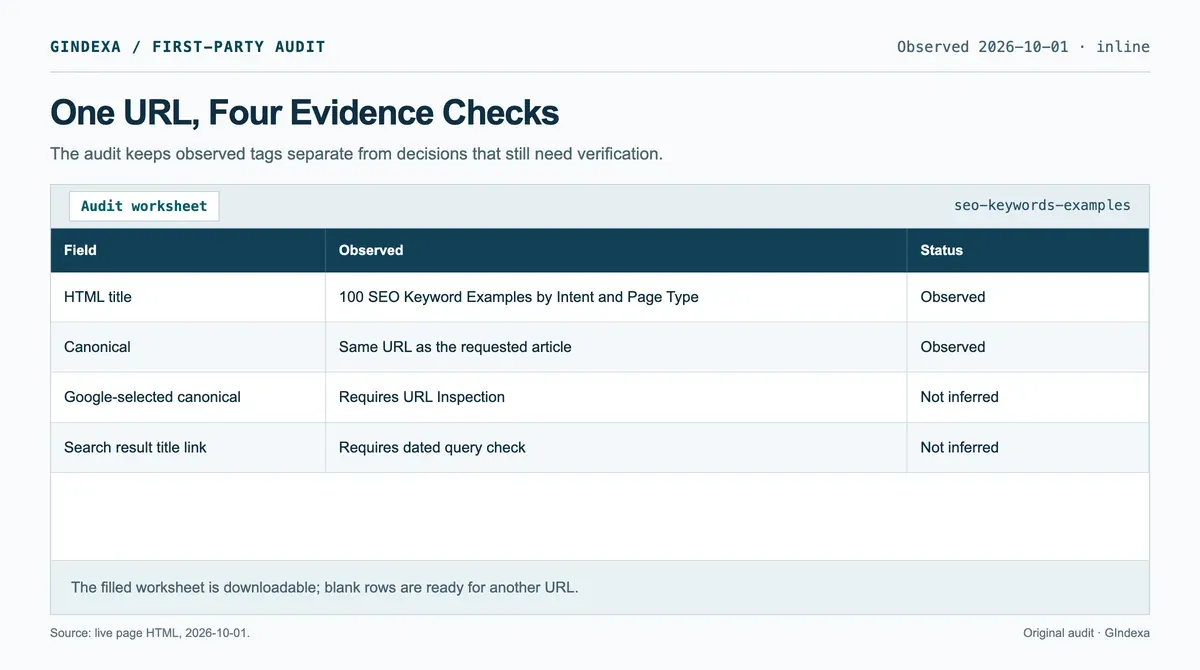
Source: GIndexa’s own built page HTML, inspected October 1, 2026. The record shows observable tags, not a Search Console indexing verdict.
Compare initial HTML with the rendered page when scripts add content. A robots block may hide a noindex directive from Google. For site-wide faults, use the technical SEO audit workflow.
This synthetic DOM mismatch shows the failure mode. The server sends a specific title, then a client script replaces it with a generic one. It is not a GIndexa finding. If you see this pattern, save both snapshots and find the component that sets the second title.
<!-- Initial HTML response -->
<title>Drain Cleaning in Austin | Example Co.</title>
<h1>Drain Cleaning in Austin</h1>

<!-- DOM after client hydration -->
<title>Services | Example Co.</title>
<h1>Drain Cleaning in Austin</h1>
Check the Title, Snippet, and Opening Answer
Read <title>, H1, description, and opening answer together. The examples page uses “100 SEO Keyword Examples by Intent and Page Type” for title and H1. Its captured title has 48 characters and description 146. GIndexa’s length rules are editorial. Google has no fixed title-link character limit and may use several sources.
The description gives Google a candidate snippet. Google may select page text instead, as its snippet guidance explains. Record the HTML field and the displayed search result separately, with a date for the latter.
Put the observed title and H1 in HTML title and H1, their lengths in the two character-count fields, and any missing promise in Main answer gap. A search snippet is evidence to attach under Evidence source, not a substitute for the page’s description field.
An informational opening should answer the question. A service opening should name the offer, area, and next action. Write the gap so someone can fix it: “The page promises 100 examples, but the download link is buried.” A ticket that says “Improve E-E-A-T” gives the editor nothing to change.
The SEO title guide covers title-link rewrites when that is the actual problem.
Inspect Sections, Links, and Images as One Page
Read the H2s in order. On an examples page, the reader might choose an example, assign a page type, then decide whether two phrases belong on one URL. If two sections cover the same decision, merge them. Put a missing decision where the reader would expect it, rather than adding another catch-all section at the end.
Follow the internal links inside the answer, not only the site navigation. An anchor should tell the reader what the destination adds. The examples page links to a keyword mapping workflow because the reader needs a next step after choosing examples. Google’s link guidance asks for crawlable links and descriptive anchor text. A link to an unrelated article placed solely to hit an internal-link quota does not help that task.
Inspect the meaningful images in page context. The captured examples page has a cover and two inline diagrams with descriptive alt text and explicit dimensions. Its inline figures lazy-load. The page also has an empty-alt lightbox image placeholder, which is an interface control, not an unlabeled editorial figure. Counting every <img> without reading its role would produce a false failure. The image SEO checklist shows how to check image discovery, alt text, and responsive delivery in detail.
Read the page on a narrow viewport. A table that pushes the whole page sideways, or a button hidden behind a sticky header, can make the answer unusable. Record the component, viewport width, and task affected. A screenshot or short recording gives the developer more to work with than a vague claim of an “SEO penalty.”
Use Internal link gap for a broken route or missing next step. Use Image check for the file URL, alt role, and visible failure. Put the screenshot URL or capture time in Evidence source so another reviewer can repeat the check.
Turn Findings Into a Ranked Fix List
Give each finding one owner and one acceptance check. First repair access, indexability, and wrong canonical signals. Next fix a mismatch between the page’s promise and answer. Then improve the way readers and crawlers move through the page. Cosmetic wording changes come last unless a misleading title or link changes the task people expect.
This triage table has one observed GIndexa check and seven conditional scenarios. The conditional rows are playbook cases, not claims that GIndexa has those faults. Copy a matching row into Priority, Owner, Action, and Acceptance check.
| Finding or trigger | Owner | Action | Acceptance check |
|---|---|---|---|
| Observed: canonical matches requested URL | Editor | Keep the path stable | Recheck after a template change. |
noindex on a page meant for search |
Developer | Remove the wrong directive and retest crawl access | Live HTML and URL Inspection agree. |
| Declared and Google-selected canonicals conflict | SEO and developer | Compare duplicate pages, links, sitemap, and redirects | Preferred URL has consistent signals. |
| Soft 404 on a live service page | Editor and developer | Restore a useful answer or return a real 404 | Page serves its task or returns the right status. |
| Google selects a misleading snippet | Editor | Save the query, check source text, and repair the opening answer | Dated snippet and page promise agree. |
| Main image returns 404 or stays behind a click | Developer | Restore a fetchable <img src> and fallback |
File returns 200 and appears in rendered HTML. |
| Internal link reaches an obsolete slug | Editor | Point the anchor to the final page | Link reaches a relevant 200 URL directly. |
| Table overflows a narrow viewport | Designer and developer | Contain horizontal scroll or change layout | The task remains usable at the recorded width. |
Don’t turn ten missing keyword mentions into ten separate failures. They may point to one question: does the page answer the task? Meanwhile, a single accidental noindex can outrank a dozen copy edits. Rank the fixes by the obstruction they remove and the evidence you can use to check them.
Recheck the Same URL After the Edit
Ship the smallest coherent change that solves the chosen problem, then test it. Request the final URL again, inspect the rendered page, and confirm that the canonical, robots directive, title, H1, images, and relevant links still make sense. If a URL changed, test the old address and its redirect separately. A passing local build is useful, but the live response is the publish check.
Compare settled Search Console periods for the same query group and page. Note clicks, impressions, the edit date, and nearby site-wide changes. Put the follow-up in Recheck date and Recheck result. A single before-and-after chart does not isolate causation. If the expected query reaches a different URL, examine the page pair before rewriting again.
Leave the worksheet with one clear decision for this URL, an owner, and an acceptance check. If the task belongs on another page, record that destination too. The next reviewer should be able to repeat your check without reconstructing what you meant.
Frequently Asked Questions About On-Page SEO Audits
What if Search Console Shows Impressions but URL Inspection Says the Page Is Not Indexed?
Check the date of each report and the exact URL. Performance data can describe an earlier indexed state or another canonical URL, while URL Inspection reports a more current page state. Inspect the query’s landing page and the selected canonical, then save both timestamps. Do not treat the two screens as a contradiction until they refer to the same address and period.
What if Two URLs Each Pass the Checklist for the Same Query?
Compare the task each page completes. A category and a buying guide can both be useful for overlapping words, while two guides with the same answer may need consolidation. Export query-by-page rows, inspect which URL appears for each variant, and test the pages with a reader task. Keep both only when each has a distinct job.
How Do You Audit a Page With No Search Console History?
Record the target task, inspect the current results by country and device, and check the page’s technical eligibility. Use a keyword tool estimate as a demand screen, clearly labeled as an estimate. Publish a page only if it adds a useful answer or offer. Later, replace the hypothesis with query-by-page observations rather than scoring the page as a failure at launch.
What if Hydration Adds a Second H1 After the Initial HTML Loads?
Save the server response and the rendered DOM for the same URL. Identify the component that adds the second heading and whether both are visible. If a duplicated template title confuses the page hierarchy, fix that component and recheck mobile as well as desktop. If the headings serve distinct document regions, record their roles before changing markup. An H1 count alone does not establish a ranking fault.
What if the Meta Description Is Missing but the Search Snippet Looks Good?
Save the query and displayed snippet, then inspect whether Google’s chosen passage accurately describes the page. A missing description is a control gap, especially on high-value templates, but it is not proof of lost clicks. Write a concise description when you can improve the promise. Recheck several query variants because Google may select different passages for each.
Can You Compare One Page Before and After a Major Site Redesign?
You can, but mark the redesign as a confounder. Hold the query group, country, device, and window length constant. Check whether redirects, navigation, and page templates changed at the same time. Review an unaffected comparison page if one exists. Report the observed difference without assigning all of it to the on-page edit.
When Should You Stop Auditing and Create a New Page?
Stop when the remaining query asks for a different task and the current page cannot serve it without becoming confusing. Write the proposed new page’s job, compare representative results, and identify the existing page that will link to it. If the task is a missing subsection, update the current URL first. A new slug is a content decision, not a reward for finding another keyword.