
The SEO title is the HTML <title> you publish. Google may use it as the clickable title link in search, or show other text. Write a title that matches the page, then compare it with the H1 and an actual dated result.
That difference deserves a closer look. A narrow screen can clip the text. Google can also choose another source. A character count won’t tell you which happened.
What an SEO Title Is and What Google Displays
CMS fields called “SEO title” or “meta title” write the <title> in <head>. The H1 is visible in the body. og:title serves social sharing. They can match without being the same field.
Google calls the headline in a result a title link. Its documentation lists <title>, the visible page title, headings, og:title, prominent text, and anchor text as possible sources. The result can vary by page and query. A CMS preview helps you edit your own field. It cannot show what Google will choose.
| Field | Where to inspect it | What it can tell you |
|---|---|---|
HTML <title> |
Initial and rendered HTML <head> |
What the publisher supplied as document title. |
| H1 | Visible page body | What the page tells its reader it is about. |
og:title |
Open Graph meta tag | What the publisher supplied for social graph display. |
| Google title link | Dated search result for a specific query and device | What Google chose to show at that moment. |
Save the page’s fields and a dated result before filing a “rewrite” ticket. If crawling is blocked, Google may have to rely on anchor text from other pages.
Write a Title That Matches One Search Task
State the page’s job in ordinary language. A guide that teaches a reader to inspect a title should say so. A product category should name the product group. Front-load the identifying phrase when it reads naturally, because a narrow screen may hide the end. Do not repeat near-synonyms to chase variants. Google’s guidance asks for descriptive, concise, distinct title text and warns against boilerplate or keyword stuffing.
An enterprise category template might append raw filter state: Steel Shelving | sort=price | page=2 | In Stock | Store. The sort order tells an editor how the products were arranged, but tells a searcher little about the range. Decide whether that filtered URL belongs in search at all. If it does, write the title around what makes its offering distinct. This guide’s own title names the work it teaches: write a title and check it.
GIndexa’s editorial rule targets titles under 60 characters for consistency. Google sets no fixed length limit for <title>. Displayed links are clipped to fit the device. You can meet the house limit and still write a vague title. Put the identifying words where a narrow result is likely to show them.
Use the meta preview tool for an awkward draft, then read the page. If a checklist title leads to a definition, align the promise and answer. The on-page audit checks that fit in context.
Compare the Title With the H1, OG Title, and Page Copy
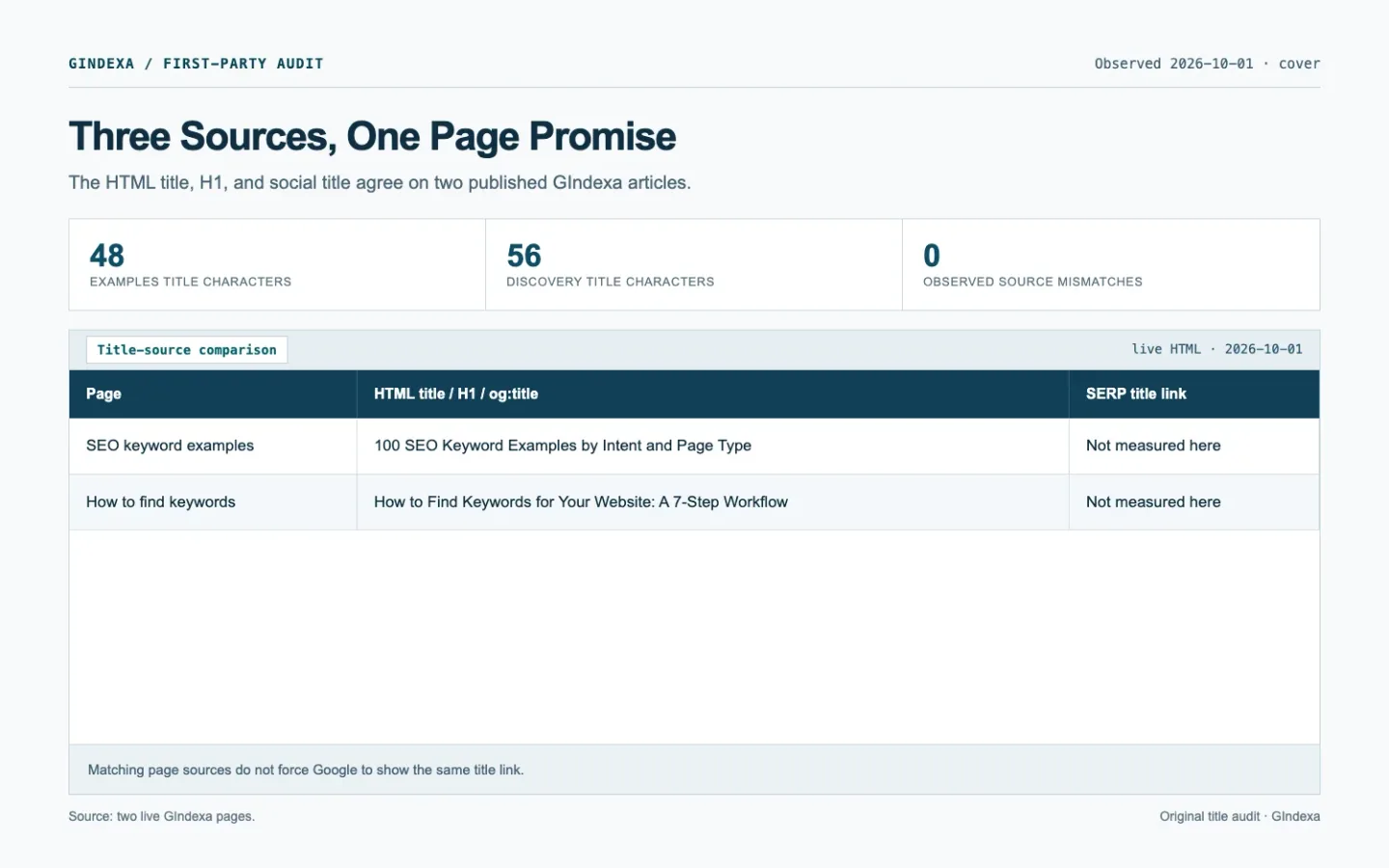
We inspected two current GIndexa pages in the October 1, 2026 site build. The SEO keyword examples page had the same text in its <title>, H1, and og:title: “100 SEO Keyword Examples by Intent and Page Type.” Its HTML title was 48 characters. The keyword discovery guide likewise used “How to Find Keywords for Your Website: A 7-Step Workflow” in all three fields. Those are first-party HTML observations, not claims about the title links Google showed.
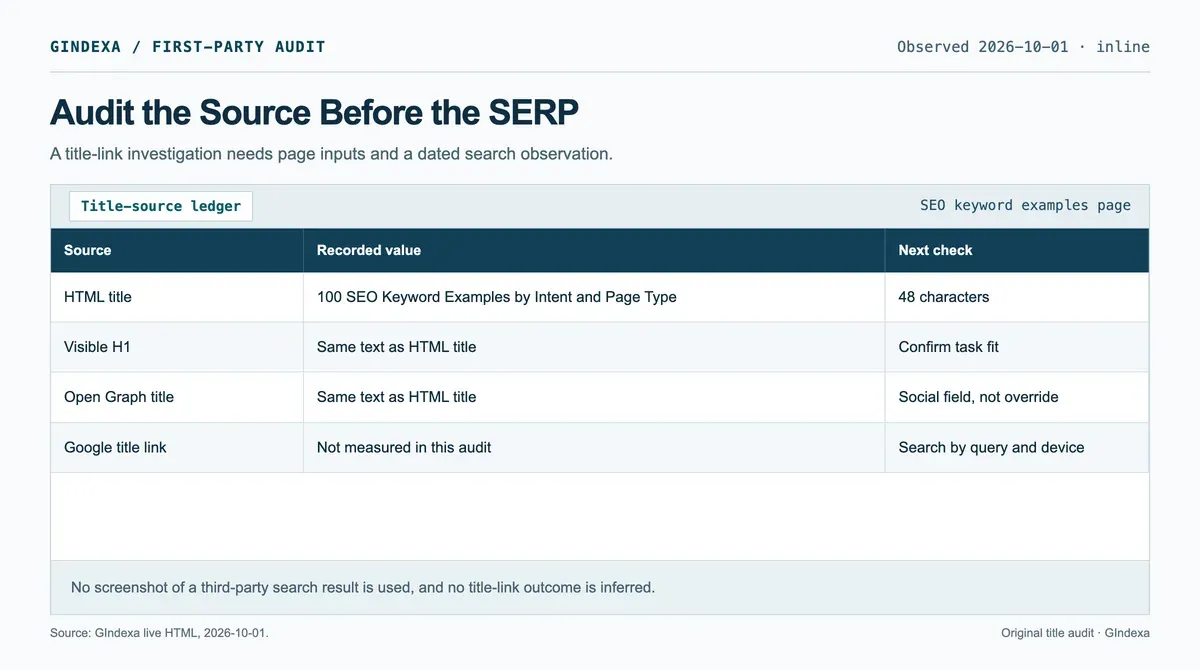
Source: GIndexa built HTML inspected October 1, 2026. Matching fields reduce one source of ambiguity. They do not control Google’s title link.
The fields can differ in wording. They should still describe the same page. A <title> promising “2026 pricing” beside an H1 for “2024 plans” calls for a content and template check before a recrawl request.
Inspect initial and rendered HTML when scripts alter metadata. Save both values if a late update replaces a specific title with generic template text.
Diagnose a Rewritten or Truncated Title Link
Search the target phrase in the relevant country and language, record the date and device, and save the displayed title link. Then compare it with the current HTML title, H1, og:title, and other prominent text. Check the page response and crawl access. A site blocked in robots.txt can still be indexed through links, while Google may have little page text available for a title. Google documents that case and recommends noindex when a URL must not be indexed.
Use a cause table instead of a generic “Google rewrote my title” ticket:
| Observation | First check | Likely action |
|---|---|---|
| The end of a long title is hidden | Compare desktop and mobile display | Put the distinguishing phrase earlier. Avoid a universal character claim. |
| Google uses a visible heading | Compare title promise with H1 and page text | Resolve a mismatch or stale boilerplate. |
| A wrong year or category appears | Check template values across sibling pages | Correct the title source and the visible label together. |
| The old title persists after an edit | Check crawl date and live HTML | Request recrawl if needed. Allow time for reprocessing. |
| A title appears in another language | Compare page language and prominent text | Align the title’s language with the main page content. |
The table gives you places to look, not a certain cause for each result. Google may take days to weeks to recrawl and reprocess a change. A search immediately after saving a CMS field therefore tells you little. Keep the HTML snapshot and result date in the ticket.
A dated GIndexa check shows why the comparison matters. In a desktop Google site:gindexa.org search on October 1, 2026, the homepage title link visibly ended GIndexa: Independent SEO Research, Experiments, and Free ..., while its live HTML <title> ended Free Tools. The /lab/ result displayed SEO Experiments and Search Research - GIndexa, while its HTML title stopped at Research. The first is visible truncation. The second is an observed added brand suffix. This was one personalized diagnostic search, with Google reporting Los Angeles based on past activity. It is not a measurement of general search behavior.


Source: cropped Google desktop results for site:gindexa.org, captured October 1, 2026. Both crops show only GIndexa listings. Compare them with each page’s live HTML title. Display varies by query, device, location, and time.
For a title-link ticket, record the evidence in this order:
| Step | Record | Next branch |
|---|---|---|
| 1. Confirm the URL | Final response, canonical, indexability | Fix a wrong page or blocked crawl first. |
| 2. Save both versions | Initial <title> and rendered DOM title |
If they differ, find the template or client update. |
| 3. Capture one result | Query, date, device, location, visible title | If only the ending is hidden, test width before editing copy. |
| 4. Compare sources | H1, og:title, prominent text, anchors |
Fix an inaccurate source, then recheck after recrawl. |
Audit Titles Across a Page Template
A single good title says little about the template behind it. Export indexable URLs from a crawl and group them by page type. Among articles, product pages, categories, locations, and paginated archives, look for exact duplicates, empty values, stale dates, and repeated boilerplate that hides any real difference. Start with pages that already have search impressions.
A template may generate Service | Site Name for every city page. Adding the city name mechanically will not help if all those pages describe the same service with no distinct local evidence. The title audit should ask whether the URLs have different jobs. Otherwise the duplication is a page architecture issue. Likewise, a category title that differs only by a sort order may point to an indexation decision, not a copywriting assignment.
For each suspect template, sample several real URLs and check the H1 and opening content. Write a proposed title only after confirming what each page uniquely offers. A spreadsheet column for “new title” without a column for “page difference” invites a batch of cosmetic edits. The keyword placement guide explains why a clear phrase in a useful place beats repetitions throughout the page.
Record the URL, HTML title, H1, query group, and decision. Without search data, call the change an editorial improvement. A preview tool’s colored length bar and a keyword volume estimate cannot measure that page’s click-through rate.
Test a Title Edit Without Overreading CTR
Keep the URL and the page’s task stable if you want to learn from a title edit. Save a settled pre-edit Search Console window, segmented by the page, query group, country, device, and search appearance where relevant. Record impressions, clicks, CTR, and average position, then note the edit and crawl dates. A title can be different in the HTML before Google has processed it.
Compare an equal-length settled window after the change. If impressions shift toward different queries, an overall CTR change mixes different audiences. Inspect the query rows. If position changes at the same time, a click change cannot be assigned neatly to wording. If the visible title link still differs from the HTML title, your test did not isolate the text you expected users to see.
On a small site, a handful of clicks is noisy. The GIndexa examples page recorded 6 clicks in the earlier period. Keep that baseline, but don’t build a fine-grained CTR claim on it. Report the edit, Google’s displayed text when you checked, and the metrics that moved. If content, ranking, seasonality, or site changes moved too, the title’s contribution remains uncertain.
Keep the SEO Title Accurate as the Page Changes
Recheck titles when the page’s offer, answer, or page type changes. A dated guide needs a current date only if that date helps identify the content and the underlying facts were reviewed. A price, availability claim, or count in a title must match the page a visitor opens. If a page no longer offers the promised feature, changing the title is part of fixing the page, not a way to hide the mismatch.
When a title audit finds a stale promise, fix the page and its title together. Save the new HTML value and check a dated result once Google has processed the change.
Frequently Asked Questions About SEO Titles
Why Does Google Still Show an Old Title Days After an Edit?
Check the live <title> and the last crawl date in URL Inspection. Google may need to recrawl and reprocess the page. Its documentation says this can take days to weeks. Request indexing for an important changed URL if appropriate, then recheck later. Do not keep making new edits each day while the old version is still the one Google knows.
What if a JavaScript App Replaces the Server’s Title?
Save the raw response and rendered DOM for the same URL, then check the browser console for a hydration mismatch. In a Next.js App Router page, put route-specific metadata in the server metadata export or generateMetadata, using the same product or article record that renders the H1. Next.js documents that prerenderable metadata appears in initial HTML, while some dynamic metadata can stream later. Streaming alone does not prove Google saw an old title. In Nuxt, set the title through SSR useSeoMeta or useHead from the route’s authoritative data, rather than waiting for a client-only onMounted fetch. Nuxt’s hydration guidance explains why server and client output must agree. Recheck the HTTP response, hydrated title, and URL Inspection’s rendered HTML before attributing a stale search result to Google.
Can an Open Graph Title Override the HTML Title in Google?
It can be one of Google’s title-link sources, but it is not a command. Inspect og:title when the displayed text matches the social field instead of <title>. Keep both accurate about the same page. Test any change against the social card as well, because that field has its own sharing purpose.
Should Paginated Category Pages Share One Title?
Check whether each pagination URL is indexable and useful as a separate result. If it is, make the title distinguish the page or portion without stuffing numbers into boilerplate. If several sorted or filtered URLs duplicate one category, decide the preferred URL first. A title template cannot solve a duplicate URL strategy.
What if Google Adds a Brand Name That Is Not in the HTML Title?
Google can choose site-name and other page signals for title links. Check whether the added label is accurate and whether the page remains clear. Do not append and remove the brand repeatedly to fight a single result. Compare several queries and devices, and fix an incorrect site name through the site’s actual branding signals.
How Should You Handle a Title With a Different Language From the Page?
Match the title’s language and writing system to the primary content on that URL. If the site has separate localized pages, audit each title with its page and alternate relationship. A bilingual headline on a monolingual page can prompt a different title link. Fix the content and metadata agreement before treating the result as a truncation issue.
Is a Title Preview Enough to Approve a High-Value Page?
No. It can reveal an awkward phrase or a likely width problem in a sample layout. It cannot reproduce Google’s query-specific title choice. Approve the title alongside the H1, opening answer, and page task, then save a dated live result after Google has processed the page. That gives the reviewer evidence rather than a simulated guarantee.